Paid reach · 11 min
Plan boosts and read landlord reports
Fix the listing first, choose a campaign for a clear goal, and judge paid reach by useful renter and tour activity.
Before spending on reach
Boost planning and purchases are landlord-only. Confirm the live App Store price and duration in the purchase sheet before approving a transaction.
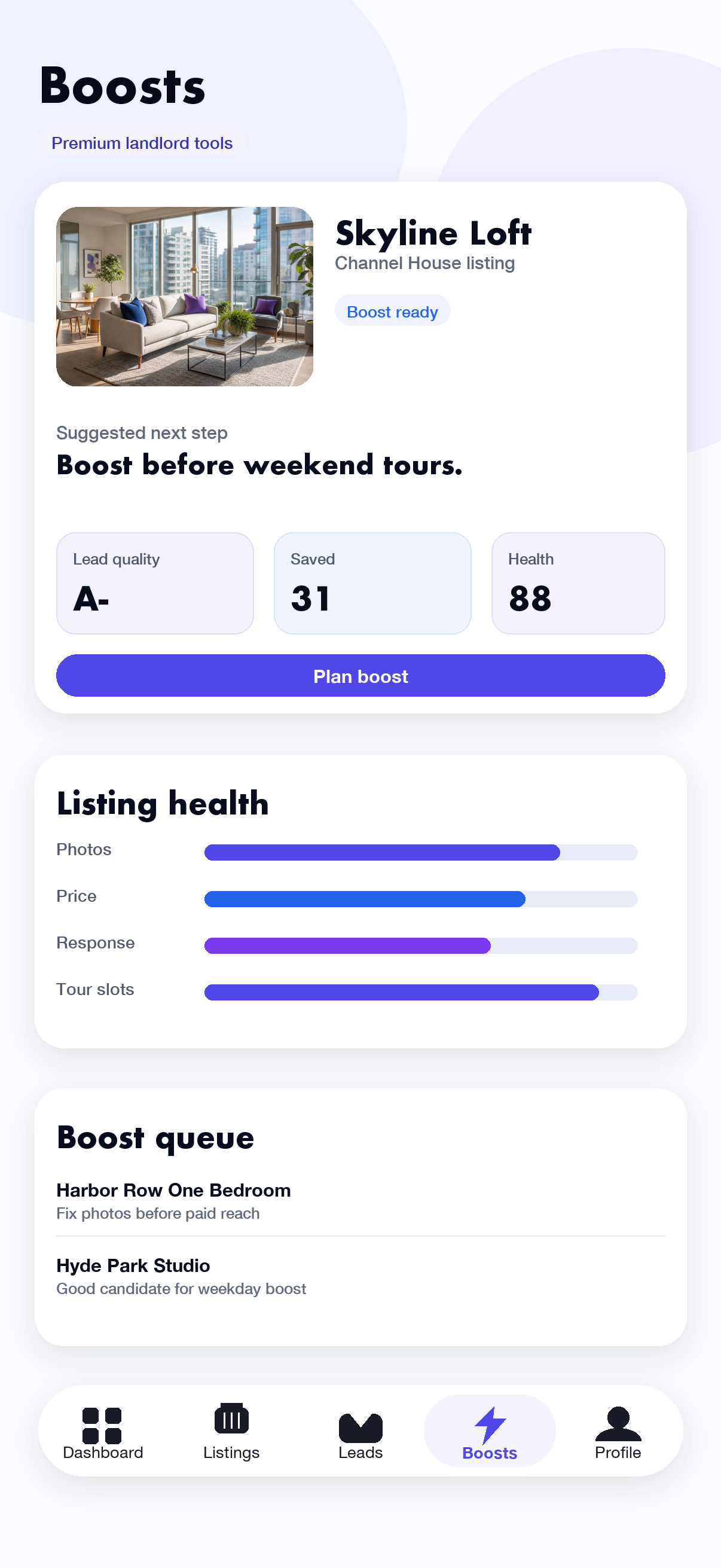
- Open Boosts and review the Command Center.Look at the recommended next listing, suggested window, portfolio signals, and queue.
- Open Listing Health or Media Audit.Resolve weak photos, copy, pricing, response, availability, or tour readiness before buying more attention.
- Choose a goal.Campaign templates, bundle strategy, and neighborhood placement can recommend a duration for the job you are trying to accomplish.
- Tap Plan boost or select a listing.Review the listing, campaign recommendation, duration, and current boost state.
- Confirm the duration and live price.Approve the App Store purchase only when the listing and campaign are correct.
The selected listing shows an active boost-until time and begins collecting boost performance when the grant is available.
Choose the right report
Boost Report
Exports boosted impressions, renter interest, and listing-level performance as CSV.
Efficiency and budget
Find campaigns to scale, pause, or fix and forecast where future paid days should go.
Timing and renewals
Review the strongest windows and decide whether an active or recent boost should extend, pause, or restart.
Saturation and overlap
Catch repeated exposure or similar listings competing for the same paid reach.
Media and listing health
Inspect photos, tours, copy, pricing, conversion, and readiness before another purchase.
Portfolio and experiments
Balance reach across listing groups and choose one measurable listing experiment at a time.
Conversion quality
Check whether paid attention is turning into lead and tour signal rather than views alone.
Demand and pricing
Compare aggregate saved-search demand and available market comps before buying reach.
Interpret results responsibly
Views and impressions show exposure. Loves and leads show stronger renter intent. Tour activity is closer to an operational outcome. A boost is not proof that a listing is well priced or ready; use health and conversion reports together before renewing.
Do not repeat a purchase while a prior transaction is pending. If the app reports a grant or StoreKit error, keep the receipt state intact and contact support with the displayed RentMatcher error code.
Troubleshooting
No listings are available to boost
Create an active listing first. If you already have one, refresh Listings and confirm it belongs to the current landlord account.
A listing is marked as needing work
Open its Listing Health and Media Kit. Correct the highest-priority issues before returning to the Boost flow.
The report is empty
Some reports need active or completed boosts, connected activity, market comps, or enough listing traffic. The empty state explains which source is missing.
The purchase did not activate
Do not buy it again immediately. Reopen the listing, let purchase reconciliation run, and send the error code to support if the boost remains inactive.